


Avatar Maker Dress up for kids
3.32.58K Reviews
App Specs
- Version
- 1.13
- Updated On
- License
- Free
- Downloads
- 50,000,000+
- Developer
- Pazu Games
- Categories
- Educational
- Platform
- Android, iOS
Screenshots
 Analysis by AppCompare
When a child opens Avatar Maker Dress up for kids, the first meaningful choice is what sort of character to make. A hairstyle, skin tone, outfit, or accessory can set the direction, and a background can turn the finished look into a small scene. I like that the activity begins with a simple action—choosing and changing—rather than asking a young player to learn a complicated set of rules before they can make something of their own.
That makes the game an easy fit for a short creative break at home. A child might start by making a character who resembles them, then change the clothes and setting to imagine a different role or place. The same tools can support a shared activity, too: one person picks the character’s look while another suggests where the scene should happen. It is a modest prompt for conversation, not a full storytelling lesson, but it gives kids something specific to build on.
The first choices shape the play
The app is a free educational game from Pazu Games, aimed at children and rated for Everyone. Its central activity is avatar creation, with the emphasis on combining visual choices rather than completing challenges or competing against a score. That distinction matters: children who enjoy making characters may settle in quickly, while those looking for levels, racing, or a clear win condition may find the experience too open-ended.
In my view, the best way to introduce it is to offer a small creative prompt instead of asking a child to explore every option at once. “Make a character ready for a rainy-day adventure” gives them a reason to consider an outfit, an accessory, and a setting together. It also makes the result easier to talk about. If they change direction halfway through, that is part of the play: they can treat the new design as a different character rather than feeling they have made a mistake.
Parents may also wonder whether this is a game children can use independently. The simple, visual layout is intended to make getting started approachable, although a younger child may still appreciate an adult nearby to help them understand the choices or keep a play session focused. For a first try, I would sit with them long enough to show how changing one item affects the overall look, then let them take the lead.
How the creative loop feels in practice
I find the creative loop easiest to judge by watching what happens between a child’s first choice and the moment they decide to start over: each change gives an immediate visual response, while the finished character becomes a reason to invent a scene. That makes the experience more about shaping an idea than earning a conventional prize. The next question is whether that payoff is enough to invite another round.
Small changes provide the feedback
There is no need to wait for a result screen to see whether an idea worked. The feedback is visual: switch an outfit, try another hairstyle, or add a prop, then look at how the character’s appearance changes. That quick response makes experimenting low-pressure. A child can compare two looks side by side in their imagination and decide which one fits the story they are making.
Worth Reading Before You Choose

Flipboard Shows What News Apps Must Do Beyond the Feed

Switching to Android Auto Means Rethinking Your Driving Routine

Google Calendar Makes a Crowded Week Easier to Manage

Ludo King Makes the Most of the Minutes Between Plans

Baby Panda World Brings Quick Play to Modern Phones, but Its Game Library Feels Busy

ESPN’s Live Game View Makes Following Close Games Easier
A useful tip is to build a character in stages rather than tapping through choices at random. Start with the broad idea—who the avatar is—then choose a look, add one or two details, and finish by selecting a background. This gives the child a simple sequence to follow without turning play into a checklist. It can also help when a child feels overwhelmed by having many visual options: narrowing the task to one decision at a time keeps the activity manageable.
The reward is a character with a story
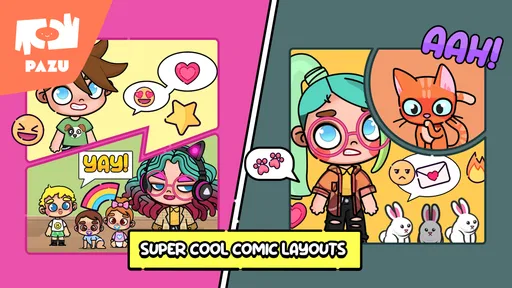
The satisfying part is not a prize or a score; it is seeing a collection of choices come together as a character that feels distinct. Accessories such as fairy wings or a pirate hat can suggest a role, while the background gives the child a place to imagine that character going. A parent can encourage more detail with a gentle question—“What is happening here?”—without taking over the design.
This makes the app useful for more than passing time. A child who is reluctant to begin a drawing or tell a story may find it easier to start with a ready-made visual character, then describe who they are and what they might do. It is not a replacement for drawing, writing, or reading together, but it can act as a starting point for those activities. For example, after making an avatar, a child could invent a short adventure aloud or draw a new place for the character to visit.
When a session naturally resets
Because the activity is based on trying combinations, a session often ends when the child has finished a look or run out of ideas, rather than when the game declares a winner. A fresh prompt can give them a reason to begin again: make a character for a different setting, change one feature while keeping the rest, or invent a second character with a contrasting personality. This kind of reset works best when it feels like a new creative challenge, not a demand to keep playing.
That open structure is also the main trade-off. Children who like clear goals may ask what they are supposed to do next, and an adult may need to provide the next prompt. If your child prefers structured puzzles or games with missions and visible progress, a more goal-driven educational game will probably hold their attention better. Here, the appeal is the freedom to choose, and that freedom can be less engaging for a child who wants the app to guide every step.
Where it fits among children’s creative apps
Compared with a drawing app, this game makes character creation more immediate: children choose from visual elements instead of having to draw a face, outfit, and setting from scratch. That can be a welcome confidence boost for kids who have ideas but do not yet enjoy drawing. The trade-off is that the creative options are framed by the available customization choices, so a child seeking a blank canvas or detailed illustration tools may be happier in an art app.
Compared with a conventional dress-up game, the background and character-building angle give children an opening to invent a scene rather than focusing only on clothing. Still, it is not a full world-building toolkit. I would choose it for quick avatar-making and simple pretend play, not for children who want a large simulated world, complex character controls, or a long progression system.
Practical expectations for families
The game is free to start, with in-app purchases ranging from $6.49 to $59.99 per item. I would check the purchase settings on the device before handing it to a child, and explain that paid options are separate from the basic idea of making an avatar. That simple boundary can prevent an enjoyable creative session from turning into an unexpected request to buy something.
It has an average rating of 3.0 from around 116,000 ratings, with roughly 2,500 written reviews and over 10 million installs. Those figures suggest that many families have tried it, while the middling average is a useful reminder that it will not suit every child. I would treat it as a focused creative toy rather than a guaranteed hit: interest depends heavily on whether a child enjoys styling characters and inventing stories without levels or prizes.
The game was released on January 5, 2022, and its current version is 1.12. It requires Android 6.0 or later. Those details help with basic compatibility planning, but the more important family question is what a child wants from play. If they enjoy choosing looks, making up characters, and talking through imaginary scenes, the app has a clear purpose; if they mostly want action or step-by-step challenges, it is probably the wrong pick.
A considered verdict on the play loop
Have you ever wanted to dive into the world of creativity and self-expression with your kids? Well, let me tell you about this delightful app I stumbled upon called Avatar Maker Dress up for kids. This app is like a virtual playground where kids can let their imagination run wild. I decided to give it a whirl, and here's everything you need to know about it.
What is Avatar Maker Dress up for kids?
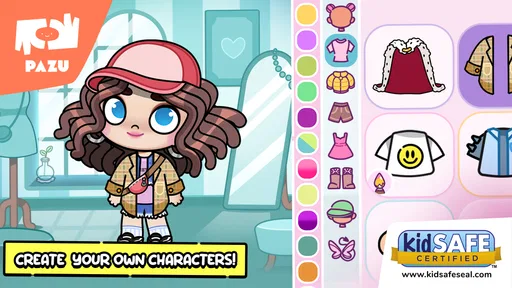
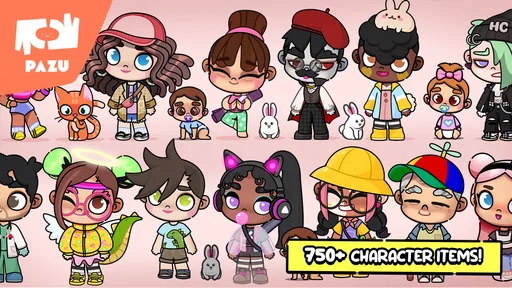
Avatar Maker Dress up for kids is essentially a digital dress-up game that allows children to create their own avatars. The app provides a variety of customization options, ensuring that kids can mix and match to their heart's content. From hairstyles to outfits, and even quirky accessories, it’s all about creating a unique character that reflects their personality.
When I first opened the app, I was greeted with a colorful and intuitive interface. It’s designed to be user-friendly, which means that even the youngest users can navigate through it without any hassle. Everything is laid out in a simple manner, making it easy for kids to dive right in and start creating.
Features that Stand Out
The app offers a wide array of features that I found both engaging and educational. Here are some highlights:
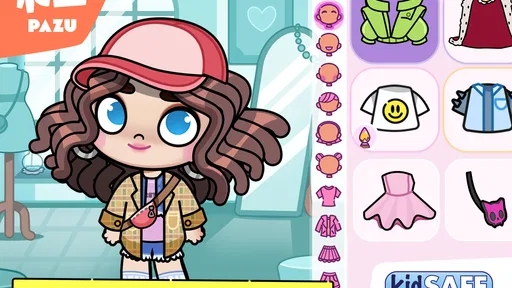
- Endless Customization: Kids can choose from a variety of skin tones, hairstyles, and outfits. It’s like having a virtual wardrobe at their fingertips.
- Accessories Galore: Hats, glasses, and even quirky props like fairy wings or pirate hats add an extra layer of fun.
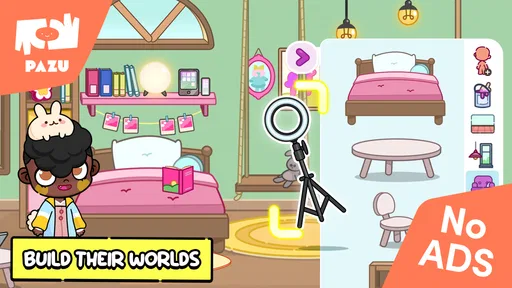
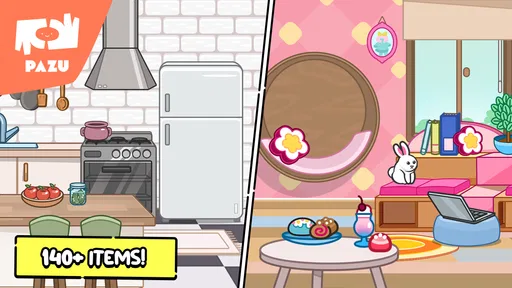
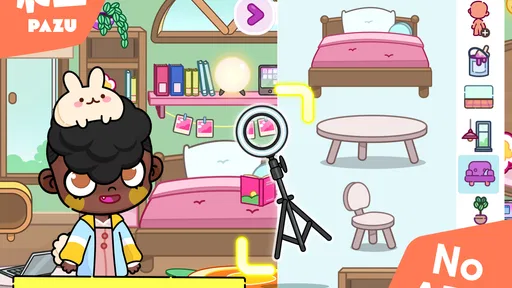
- Background Settings: Once the avatar is ready, kids can place them in different backgrounds, adding a storytelling element to their creations.
- Easy to Use: The drag-and-drop functionality makes it a breeze to swap items and try out new looks.
Why Kids Love It
One of the things that struck me is how much kids adore this app. It's not just about dressing up avatars; it's about creating stories and characters. The app encourages them to think creatively and make choices, which can be incredibly empowering.
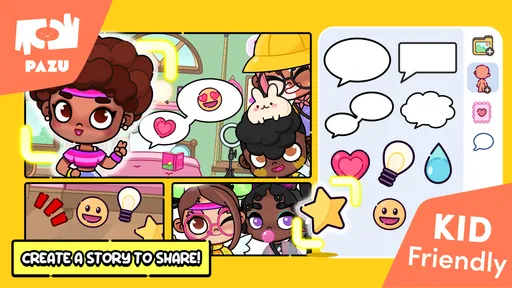
My little testers were hooked from the get-go. They enjoyed exploring different styles and creating avatars that resembled themselves or their favorite book characters. It was fascinating to see how they would narrate stories about their avatars’ adventures. It’s a great tool for sparking creativity and enhancing storytelling skills.
Educational Benefits
While it’s packed with fun, the app also offers several educational benefits. It teaches kids about diversity and inclusion through its wide range of customization options. By experimenting with different looks and backgrounds, children learn about self-expression and embracing differences.
Additionally, the app can help improve fine motor skills as kids use touch controls to select and move items around. It’s a subtle way of honing their coordination while they’re fully engrossed in play.
Wrapping Up
All in all, Avatar Maker Dress up for kids is a fantastic blend of fun and learning. It’s more than just a dress-up game; it’s a creative outlet for kids to explore their personalities and tell their own stories. Whether your child is a budding fashionista or a storyteller, this app has something to offer for everyone.
So, if you're looking for an app that combines creativity, fun, and education, this one might just be the perfect fit. Give it a try and watch your kids' imaginations soar!
Pros
- Easy and intuitive interface for kids.
- Wide variety of clothing options.
- Customizable backgrounds available.
- No in-app purchases required.
- Supports creativity and imagination.
Cons
- Limited character customization options.
- Ads can be distracting at times.
- No multi-language support yet.
- Requires internet for full features.
- Lacks advanced editing tools.
FAQs for Avatar Maker Dress up for kids
What age group is Avatar Maker Dress up for kids suitable for?
Avatar Maker Dress up for kids is primarily designed for children aged 4 to 12. The app offers an intuitive interface that is easy for young users to navigate. It encourages creativity and artistic expression, making it an ideal choice for kids who enjoy designing and personalizing avatars.
Is Avatar Maker Dress up for kids safe for children to use?
Yes, the app is safe for children. It does not require any personal information from users and is free from in-app purchases and ads, ensuring that kids can enjoy a secure and uninterrupted experience. Parents can feel confident about their children's safety while using the app.
What kind of features does Avatar Maker Dress up for kids offer?
The app provides a wide range of features including customizable avatars, a variety of outfits, accessories, and backgrounds. Kids can mix and match different elements to create unique looks. The app also includes fun themes and seasonal updates to keep the content fresh and engaging.
Does Avatar Maker Dress up for kids require an internet connection?
No, Avatar Maker Dress up for kids does not require an internet connection to function. This allows children to enjoy the app anytime and anywhere, making it perfect for travel or situations where internet access is limited. Offline availability enhances the app's accessibility.
Can the avatars created in Avatar Maker Dress up for kids be shared?
Yes, avatars created in the app can be saved and shared with friends and family. Users can easily export their creations to the device's gallery or share them via social media platforms. This feature encourages kids to showcase their creativity and interact with others.


